Mods for your shop
Browse 22 community Mods, compare their effects, and open the author’s page.
Mod directory
Your comparison
Try a broader search or reset the filters.
Smart Inventory Arrange
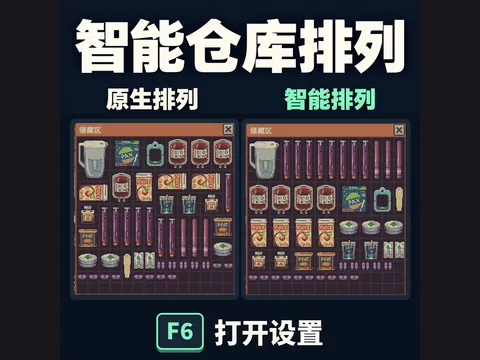
Groups matching items and offers a container-aware arrangement mode.
Details
- Start here
- Use the empty-slot context menu to arrange items; F6 opens settings. Enable the optional sort shortcut before using it.
- English
- English instructions provided by the author.
- Before you enable it
- F6 opens settings. The one-key arrangement hotkey starts disabled; choose its scope before using it.
Original Nexus pageThe author links this original Nexus page, but its instructions still require Demo 0.46D and MelonLoader. Use the Workshop package for the native-release setup above.
Client Demand Highlight
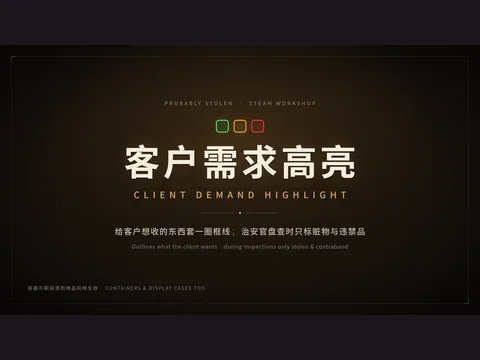
Outlines items matching the customer’s demand and distinguishes ordinary, stolen and contraband goods.
Details
- Start here
- F5 toggles demand outlines. Change conflicting shortcuts in the game key bindings.
- English
- Chinese and English instructions provided.
- Before you enable it
- F5 toggles the overlay by default. Rebind overlapping Mod shortcuts if the display switches off unexpectedly.
Appraisal Assistant
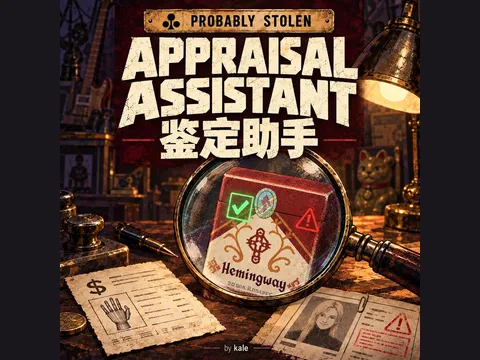
Shows true item values and authenticity checks, with additional Aug and wanted-customer information.
Details
- Start here
- Inspect with the magnifier; its context menu opens settings. The estimate-fill action still requires your click and submission.
- English
- Author lists all eight game languages, including English.
- Before you enable it
- This reveals information used by the game’s appraisal and identification challenges. Its optional fill button enters an estimate; the player still submits it.
Reputation Pop
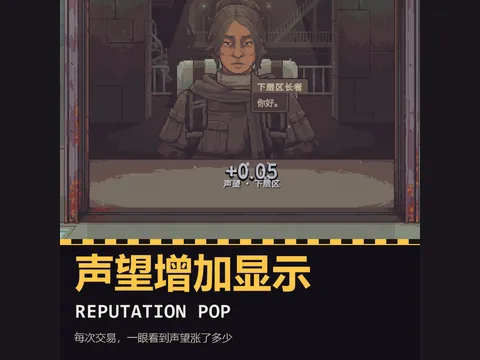
Displays faction-colored reputation changes beneath the customer window.
Details
- Start here
- Check the feedback after completing a purchase or sale. It reports reputation already awarded.
- English
- Author says the interface follows Chinese or English game language.
- Before you enable it
- Displays the recorded change after a trade; this listing does not establish a bonus to the reputation awarded.
Shutter Events
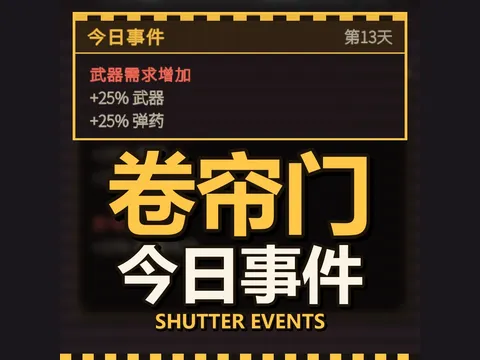
Shows daily events on the shutter and investigation information after closing.
Details
- Start here
- Use the Mods settings gear for the board display. Check events before opening and investigation information after closing.
- English
- Author says the interface follows Chinese or English game language.
- Before you enable it
- The author provides font, color and event-filter settings. Check the current page for update and restart instructions.
Item Details
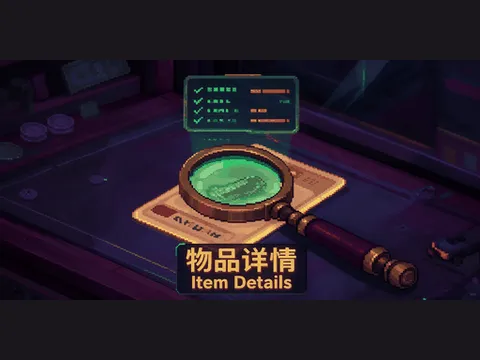
Adds tooltip valuation, authenticity checks and customer alerts.
Details
- Start here
- Enable and restart, then hover over items. Individual display, control and reveal options are in the Mod settings.
- English
- Author lists English among the supported game languages.
- Before you enable it
- Information reveals can change the appraisal challenge. Optional prefill does not submit an appraisal.
Announce the Transaction
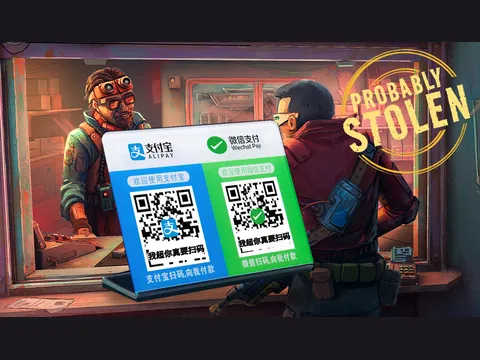
Plays Alipay- or WeChat-style voice alerts when your shop receives in-game cash.
Details
- Start here
- Subscribe, enable it in Mods, and restart. F9 plays a test announcement; adjust the voice, speed and volume in its settings.
- English
- English author description. English voice output has not been confirmed.
- Before you enable it
- An audio novelty for in-game transactions. Adjust its volume before testing; the author offers amplification up to 300%.
Bargain Panel On The Left
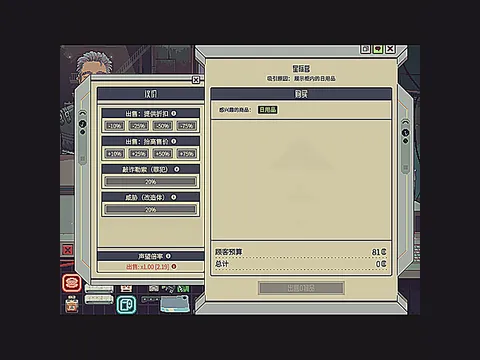
Places the bargaining panel on the left side of the screen.
Details
- Start here
- Enable the Mod and check the bargaining panel during a trade.
- English
- The listing includes an English title; full English support is not confirmed.
- Before you enable it
- A layout preference; inspect the current author page for update notes.
Appraisal Slip to Trash
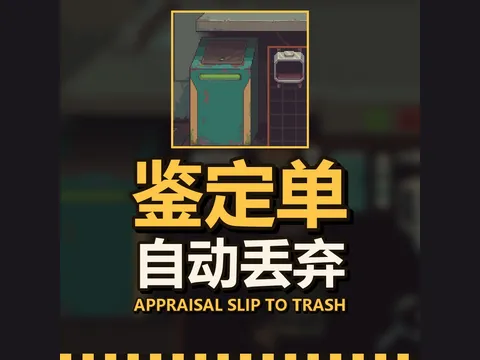
Moves each newly generated appraisal slip into the trash while leaving the appraisal fee and rating unchanged.
Details
- Start here
- Enable it in the game’s Mods menu and restart. New appraisal slips move to the trash, where they remain readable until rubbish is cleared.
- English
- Chinese and English instructions provided.
- Before you enable it
- A full trash can leaves the slip on the counter. Other existing notes are untouched. Pen’s QoL Tweaks also handles appraisal slips; start with one document-automation option.
Pen's QoL Tweaks
Bundles tool-edit memory, box-select operations, batch chemical output, trade shortcuts, document cleanup, battery swaps and hydroponic replanting.
Details
- Start here
- Enable and restart, then choose features in Mods → Settings. Trade shortcuts only process items already on the counter; their default key is Space.
- English
- Chinese and English supported by the author.
- Before you enable it
- Several features automate gameplay, including battery replacement and replanting. Review its settings first; disable overlapping document or battery routines when using single-purpose helpers.
Better Liquid Scanner
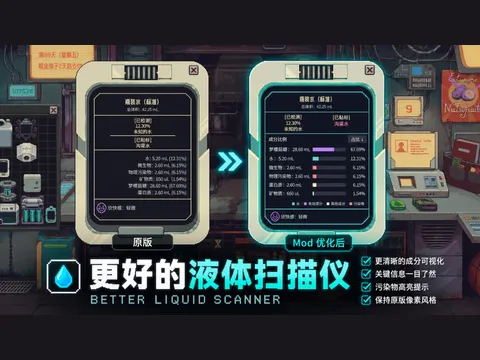
Adds clearer composition bars, component sorting and pinning to the water and chemical scanners.
Details
- Start here
- Enable and restart, then use a scanner. Open its gear for display settings; no additional hotkey or prerequisite Mod is listed.
- English
- Author describes an English interface outside Chinese locales.
- Before you enable it
- The author names Windows and VERSION 100-Rev6; other scanner-interface Mods may overlap.
Brewing Expansion
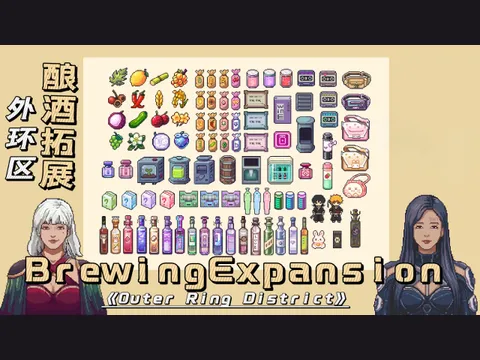
Adds brewing equipment, crops, recipes, merchants and a dedicated starting route.
Details
- Start here
- Enable and fully restart. Read the author’s setup and save instructions before starting or updating a run.
- English
- Author lists English among several supported languages.
- Before you enable it
- Adds persistent content. The author advises backups and warns against saving a modded run after disabling the Mod.
CorpPresence
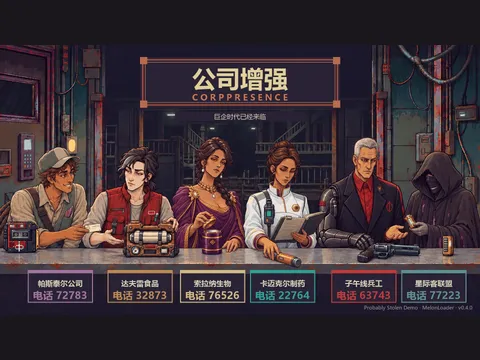
Adds company representatives, orders, services and production systems.
Details
- Start here
- Open the Mod settings before playing. Review the requested capabilities and author’s uninstall instructions.
- English
- Author lists English, Chinese, Russian and French.
- Before you enable it
- Balance settings affect the run. The author specifies a cleanup procedure before removal.
Probably Multiplayer

Adds shop visits, player customers, chat and private or public sessions.
Details
- Start here
- Restart after activation. Read the current author instructions before joining or hosting a session.
- English
- Author provides an English feature description.
- Before you enable it
- Community multiplayer changes the play experience; this is not an official multiplayer mode.
Proper Signboards
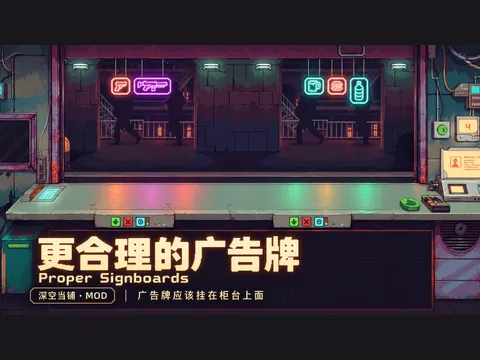
Moves up to five signboards above the counter while retaining their original buyer-attraction effects.
Details
- Start here
- Enable and restart, then double-click a signboard to hang it above the counter. The display supports up to five signs.
- English
- English instructions provided by the author.
- Before you enable it
- The author lists both stable and open_beta support. Its other advertised Mods are optional; Proper Signboards works independently.
Better Water Trading
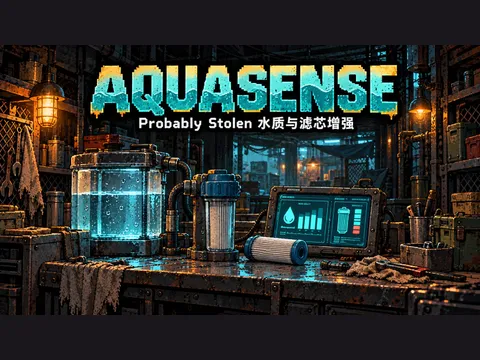
Adds liquid hover information, label updates and automatic replacement of depleted filters or fabric.
Details
- Start here
- Review the separate automation switches. Hover composition normally requires a water scanner or spectrometer.
- English
- The current author description is available in English.
- Before you enable it
- Automatic maintenance changes the workflow. Scanner-free composition viewing is optional and starts disabled.
AutoBatterySwap
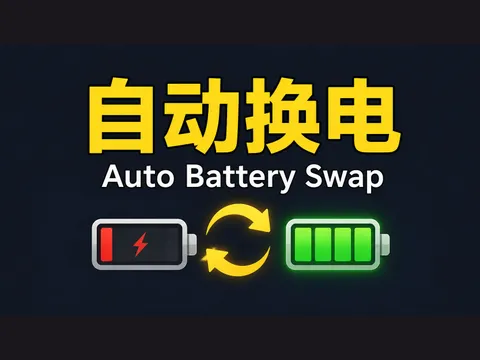
Before the night tick, swaps batteries in machines with insufficient charge for the fullest available replacements.
Details
- Start here
- Enable and restart. F8 triggers a manual swap; rebind or disable that shortcut in settings. The charger-only option starts off.
- English
- Chinese and English instructions provided.
- Before you enable it
- Self-charging batteries and pinned items are skipped by default. The author targets vanilla machines and does not guarantee other-Mod compatibility. Pen’s QoL Tweaks provides overlapping battery automation.
Pen's Pipette
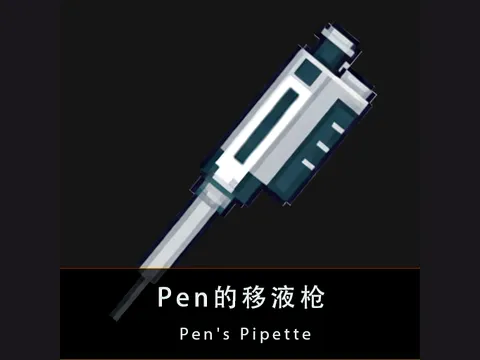
Adds adjustable-volume pipettes and a Hydra Tech variant for liquid transfers and chemistry reactions.
Details
- Start here
- Enable and restart. Buy standard pipettes from the Pipette Agent after the Retired Chemist unlock condition; click an empty pipette to set its dose and confirm.
- English
- Chinese and English supported by the author.
- Before you enable it
- Adds new tools and a vendor rather than simply changing the scanner UI. Keep a backup before adding it to a run; no removal procedure was verified.
Tobacco Expansion
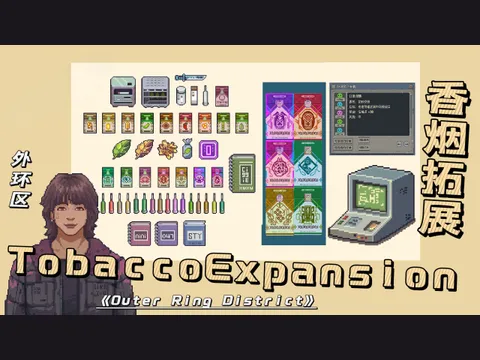
Adds tobacco growing, processing, cigarette appraisal and an Outer Ring tobacco-and-liquor commission system.
Details
- Start here
- Subscribe to and enable both this Mod and Brewing Expansion, then restart. Buy a cigarette sign at Chenzi’s night shop and display it to attract its vendors.
- English
- Author lists Chinese, English, Russian, French, Japanese, German and Polish.
- Before you enable it
- Requires Brewing Expansion and adds persistent content. Back up the run before enabling it; a safe mid-run removal procedure was not verified. Use the Workshop release package rather than mixing in the older Nexus DLL.
Original Nexus pageThe Nexus v0.5.3 page still documents a MelonLoader DLL. It differs from the current Workshop build; use it as version history, not the native-release installation package.
Visible Item Durability
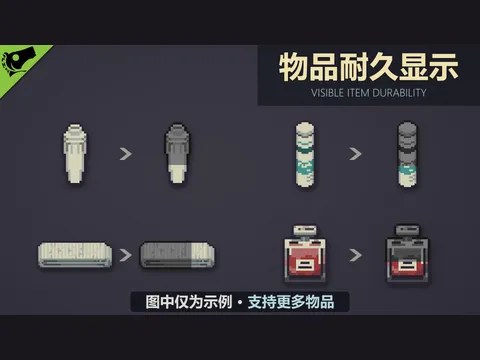
Shows durability, remaining contents and charge directly on supported items, including filters, perfume and water tanks.
Details
- Start here
- Enable and restart once. In Mods, select its settings gear, toggle item displays and choose Apply; those display changes do not require another restart.
- English
- Chinese and English instructions provided.
- Before you enable it
- Used portions appear grey. Display switches are enabled by default and can be changed per supported item; the author does not claim support for every item.
Rats to Piggies
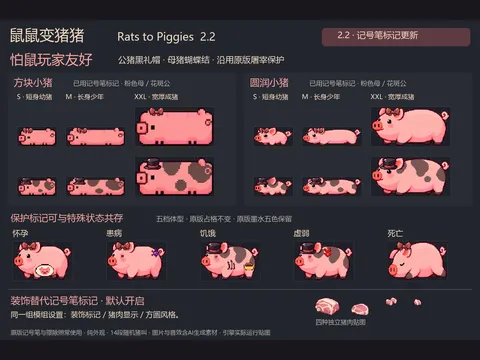
Replaces existing rats with pig visuals and calls, with optional state indicators, marked-animal accessories and rat-origin meat artwork.
Details
- Start here
- Enable and fully restart. Choose Block or Round styling and optional pork/status displays in its settings. Disable and restart to restore vanilla visuals.
- English
- Chinese and English instructions provided.
- Before you enable it
- The author keeps native animal IDs, breeding, stats and recipes. This is a visual replacement, not a new animal species. The author recommends using one rat skin Mod at a time.
Better Performance
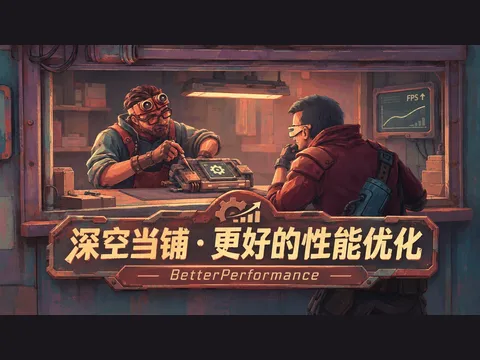
Targets drag-and-drop problems, container opening, inventory searches and overnight processing with separately configurable optimizations.
Details
- Start here
- Enable and restart. Open Main Menu → Mods → this Mod’s settings to change individual optimizations; some options require a restart.
- English
- English instructions provided by the author.
- Before you enable it
- Speed improvements are author-reported, not benchmarked here. Options start enabled; test changes individually if another inventory or tooltip Mod behaves unexpectedly.
Curated from original author pages. Popularity snapshot: Nov 7, 2026, 8:15 AM UTC. About this collection
Install & activate a release Mod
- Open the original author page. Check the supported game branch, dependencies, capabilities and save instructions.
- For Workshop entries, subscribe and wait for Steam’s download to finish. Start the full release through Steam.
- Open the game’s Mods menu, review the entry and enable it. Follow the author’s restart instructions.
- Check the feature using the entry’s setup notes. Add one Mod at a time so a new conflict is easier to identify.
Manual packages, Nexus and the full release
The release uses the game’s Mod system. For a local package, use Steam → Manage → Browse local files to find the installation. The official guide places each complete package inside Mods/YourMod/, with manifest.xml and its declared files together. Preserve the author’s package layout.
A Nexus listing may contain a different build or an older Demo package. Verify its requirements before using it with the full release; a shared name does not establish compatibility. See the official package and activation guide.
Updating, removing and keeping a recoverable save
Read the author’s instructions before replacing or removing content Mods. Brewing Expansion warns against saving its run after disabling it; CorpPresence describes a cleanup process. Keep a recoverable copy of the run and its Mod versions before changing them. A high subscriber count is not a save-compatibility guarantee.
Do I still need an older utility Mod?
Check the current game and author notes first. The Purchase Stay Counter author now says its function was added to game version 1.0.0.12. It is therefore outside this shortlist. An older recommendation or a large subscriber count may outlive the need for a separate Mod.
Machine modules are in-game upgrades; these Mods are external community additions. Learning the original shop? Use the beginner guide.
Find the stage that failed
These are diagnostic checks, not a tested load order. Start with the first failure.
| What you see | What to check |
|---|---|
| Missing from the Mod list | Confirm the full-release installation and completed Steam download. For a local package, inspect the manifest and folder layout against the official guide. |
| Activation is refused | Keep the exact scan or dependency message and check it with the author’s requirements. Review the requested capabilities. |
| Enabled, but nothing happens | Restart as instructed; check the feature’s trigger, settings and shortcuts. For example, the inventory sort shortcut is initially disabled. |
| Scanner panels or appraisal helpers overlap | Test one helper at a time. Better Liquid Scanner’s author specifically notes possible overlap with other scanner UI Mods. |
| A game update broke the setup | Record the game build, Mod versions and first error. Check author updates before loading and saving an affected run. |
Author previews are credited to their respective Workshop creators. Sources: official Mod documentation and the original Workshop pages linked in each entry. Descriptions, language notes and removal requirements follow the authors, reviewed Nov 7, 2026. Popularity is a snapshot within this selection, not a compatibility rating. These Mods and their combinations have not been tested here in-game.